Support

The Big List Support We're Here to Help.

Whether you're just getting started with The Big List, have questions about a particular feature, need help with your account or are experiencing a technical issue, we want to make sure you get the assistance you need.

We've compiled a list of frequently asked questions below covering topics such as getting started, customizing your lists, security, subscriptions and Designated Recipients.

If you can't find the answer you're looking for, need additional assistance or have a suggestion for making The Big List even better, please reach out to us using the support form at the bottom of the page.

Support Image for The Big List

Frequently Asked Questions

You Have Questions. We Have Answers.

We've put together answers to the questions we think you'll ask most, from getting started and keeping your information secure to subscriptions, Designated Recipients, and what's coming next. Just open a section below to find what you need.

Getting Started Learn how to get started, create and customize your lists, use templates, add photos and documents, and set reminders. 8 questions

What is The Big List?

The Big List is a secure information management app that keeps the important details of your life in one place, from insurance and banking information to household records, contacts, documents, and anything else you need to find quickly.

Is The Big List difficult to set up?

Not at all. Start with a category, use a ready-made template or create your own, and add List Items at your own pace. You don’t need to fill everything out on day one. For example, a homeowners insurance List Item could hold your policy number, coverage, deductible, renewal date, and insurance contact information.

Can I create my own lists?

Absolutely. You can create categories, List Items, and custom fields that fit the way you live. You’re not limited to the examples or templates we provide.

Do I have to use the built-in templates?

No. Templates are simply a faster way to get started. You can use them, customize them, or build something completely from scratch.

Can I add photos and documents?

Yes, and we encourage you to do so. Add photos and supporting documents to your List Items so the details and files you need stay together. This is perfect if you want to itemize and document your valuables for insurance purposes in case of storm damage, loss, or theft.

Can I use The Big List on multiple devices?

Yes. The Big List is designed for iPhone and Android and we’ll be adding a web version soon. Sign in with the same account on your devices, and your information stays synchronized.

Can I personalize how everything is organized?

Yes. Reorder your lists, customize their contents, and choose colors that make important information easier to recognize.

Can The Big List remind me about important dates?

Yes. Set reminders for things like subscription renewals, warranties, appointments, and other dates you don’t want to miss.

Privacy & Security Learn how we protect your information, how to use PIN protection, and what information you should and shouldn't store. 4 questions

Is my information secure?

Protecting your information is a core part of The Big List. Security features include encryption, access controls, mandatory two-factor authentication, and the ability to protect categories or individual List Items with a PIN. Compatible devices can also use biometric authentication.

Can I lock certain information without locking everything?

Yes. Add PIN protection to individual categories or List Items when you want an extra layer of privacy.

Do I need to save my passwords or banking login information?

No. The Big List is designed to help you keep track of important details and where to find them, not to require sensitive banking passwords or credit card PINs. As a matter of fact, we DO NOT want you storing passwords or PINs for sensitive or financial accounts.

Can I delete information I no longer need?

Yes. You can delete your lists and individual List Items whenever you choose.

Plans, Billing & Cancellation Find answers about subscription plans, free trials, payments, renewals, cancellation and downloading your information. 8 questions

How much does The Big List cost?

The monthly plan is $3.95 per month, and the annual plan is $39.50 per year. We also offer a seven-day free trial so you can explore the app before the monthly subscription begins.

Is there a free trial?

Yes. Your seven-day trial includes full access to The Big List. If you don’t cancel before it ends, your monthly subscription begins automatically.

Why do I need to provide a payment method for a free trial?

Your payment method lets your monthly subscription begin without interruption if you decide to continue after the trial. You won’t be charged for the monthly subscription during the seven-day trial, and we’ll remind you by email or text one day before it ends.

Can I cancel during my free trial without being charged?

Yes. Cancel before your seven-day trial ends, and you won’t be charged for the monthly subscription.

Does the annual subscription renew automatically?

Not by default. The annual plan expires at the end of its term unless you choose to enable automatic renewal in your account settings. We’ll remind you before it expires.

While automatic renewal makes sense for a monthly subscription, we feel differently about annual plans. We don't like being surprised by an unexpected yearly charge, and we figure you probably don't either. That's why we leave the decision up to you.

How do I cancel my subscription?

Other companies make it hard to cancel. Some even make you contact them first. We feel that you have a right to decide if The Big List is right for you. We think you’ll love it and find it invaluable, but if you don’t, we’ve made it super simple to cancel:

Go to Account Settings, scroll down to the Billing & Subscription section and tap or click “Cancel Subscription Plan.” You can cancel at any time. See? We told you it was easy.

What happens to my information if my subscription ends?

Your information stays available to view, delete, or export. You won’t be able to add new categories, List Items or edit existing information without an active subscription. Your Designated Recipient access will also be deactivated.

Can I download my information before deleting my account?

Yes. If you Delete your account, we give you the option of downloading your data before we part ways.

Designated Recipients Understand how Designated Recipients work, inactivity periods, advance warnings and how your trusted recipient receives access. 4 questions

What is a Designated Recipient?

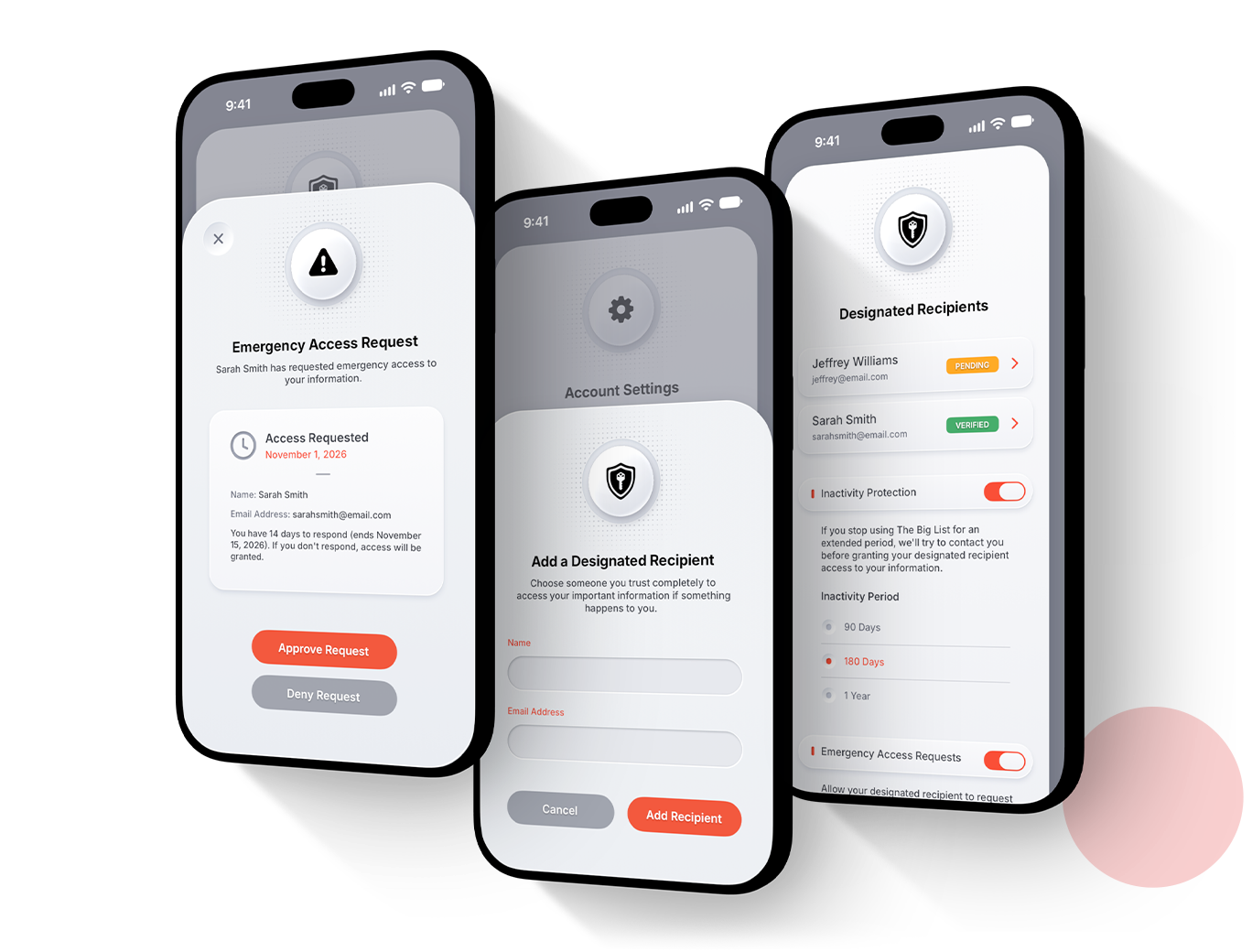
A Designated Recipient is someone you trust to receive access to your information if you become inactive for a period you choose. It’s an optional feature, and you can skip it when you create your account. We don’t think you should skip it. It’s an important feature that will give peace of mind for your family or significant others.

How does my Designated Recipient receive access?

You choose an inactivity period of 30, 60, or 90 days. If that period passes without you checking in, and you haven’t responded to the warnings, your Designated Recipient can be granted access through the designated access process.

Will you warn me before my Designated Recipient gets access?

Oh yes. We’ll send you multiple warnings by email and SMS well before your Designated Recipient is granted access. We want to give you plenty of time to respond. Simply sign in, confirm that you’re okay, and your inactivity timer will reset.

Do I have to set up a Designated Recipient?

No. It’s entirely optional. You can use The Big List to store your own information for quick access without naming a recipient. And that’s perfectly fine too.

Family & Future Features Find out what's coming next, including our web app, Family Plan and the possibility of Dark Mode. 3 questions

Will there be a web version?

Absolutely. We're launching on iPhone and Android first, including support for the iPhone Duo and Android foldables. But a web version is at the very top of our to-do list. We want you to be able to access The Big List from your computer, too.

Will there be a Family Plan?

Yes. Once we've completed the web version, our next priority is a Family Plan that lets multiple family members interact with The Big List. We think this will be especially useful for caregivers and families who need to manage important information together.

Will The Big List have a Dark Mode?

Maybe! It's something we're considering for the mobile app. We know plenty of people prefer Dark Mode, and we're keeping it in mind as we plan future updates. No promises just yet!

Still Need Help?

Send Us a Support Request.

If you couldn't find what you were looking for in the FAQ above, use the form below to contact us. Please include as much detail as possible so we can better assist you.

Which Platform Are You Using? required
Support Topics required

Protect Your Personal Information: Please do not include passwords, PIN codes, financial account details or other sensitive personal information in your message or attachments.

Delete Your Account

Your Information. Your Decision.

If you decide The Big List is no longer right for you, you can request to permanently delete your account. We recommend doing this directly through our mobile app, or through the web app once it's available.

Please Note: If you have an active subscription cancel that first before requesting deletion of your account.

01

Delete Your Account in the App (Recommended)

Open The Big List on your iPhone or Android device and go to Account Settings to find the Delete Account option. You'll have the opportunity to download a copy of your information before confirming deletion. When our web app launches, you'll be able to use that option there, too.

02

Can't Access Your Account?

You can also request account deletion through the Support form above. Enter the email address associated with your account and include “Account Deletion Request” in your message. For your security, we'll verify that you're the account owner before processing the request. Please don't send us passwords or PINs.

03

Before You Delete

Account deletion is permanent, so please download anything you'd like to keep first. If you have an active subscription, make sure you cancel it through the appropriate billing method first. Deleting your account and canceling a subscription are separate steps.